Material Request
A Material Request is a simple document identifying a requirement of a set of Items (products or services) for a particular reason.
A Material Request can have the following purposes:
Purchase: If the material being requested is to be purchased.
Material Transfer: If the material being requested is to be shifted from one Warehouse to another.
Material Issue: If the material being requested is to be Issued for some purpose like manufacturing.
To access the Material Request list, go to: > Home > Stock > Stock Transactions > Material Request
1. Prerequisites
Before creating and using an Material Request, it is advised that you already have the following first:
2. How to create a Material Request
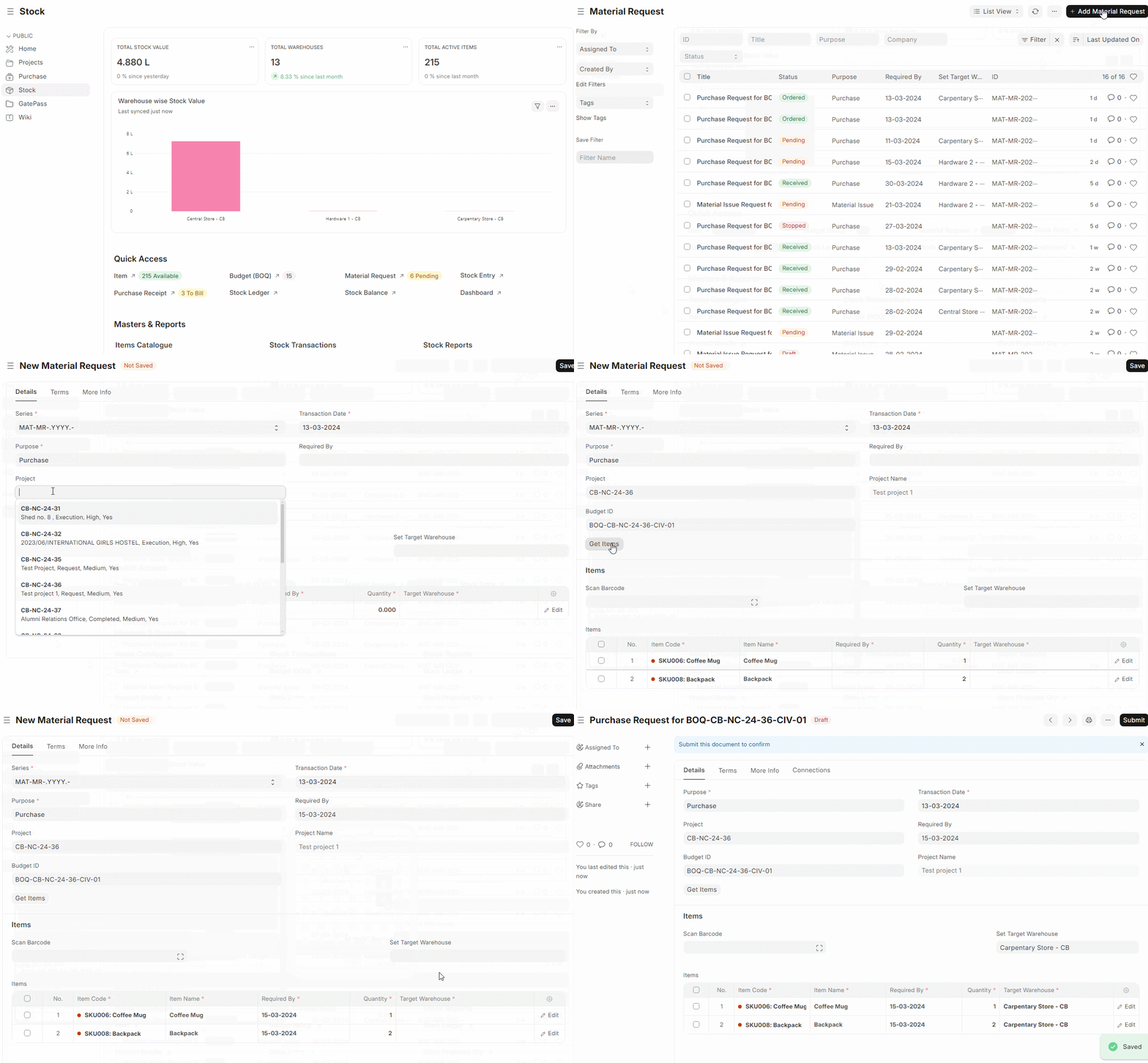
Go to the Material Request list, click on New.
Enter the required by date.
Select from one of the purposes as listed above.
Select the Project, Budget ID.
You can fetch Items from a Budget (BOQ) by clicking the Get Item button.
You can manually select the Item and set the quantity.
Select the Warehouse for which Items are required.
You can change the Required By date for individual Items in this table.
Save and Submit.
2.1 Statuses
These are the statuses a Material Request can be in:
Draft: A draft is saved but yet to be submitted to the system.
Submitted: Document is submitted to the system.
Stopped: If no more materials are needed the Material Request can be stopped.
Cancelled: The materials are not needed at all and the request is cancelled.
Pending: The Purchase/Manufacture is pending to complete the Material Request.
Partially Ordered: Purchase Orders for some Items from the Material Request are made and some are pending.
Partially Received: Some of the ordered items are received and some are pending.
Ordered: All Items in the Material Request are ordered via Purchase Orders.
Issued: The materials are issued using a Material Issue Stock Entry.
Transferred: The required materials are transferred from one Warehouse to another using a Stock Entry.
Received: The materials were ordered and have been received at your Warehouse using a Purchase Receipt.
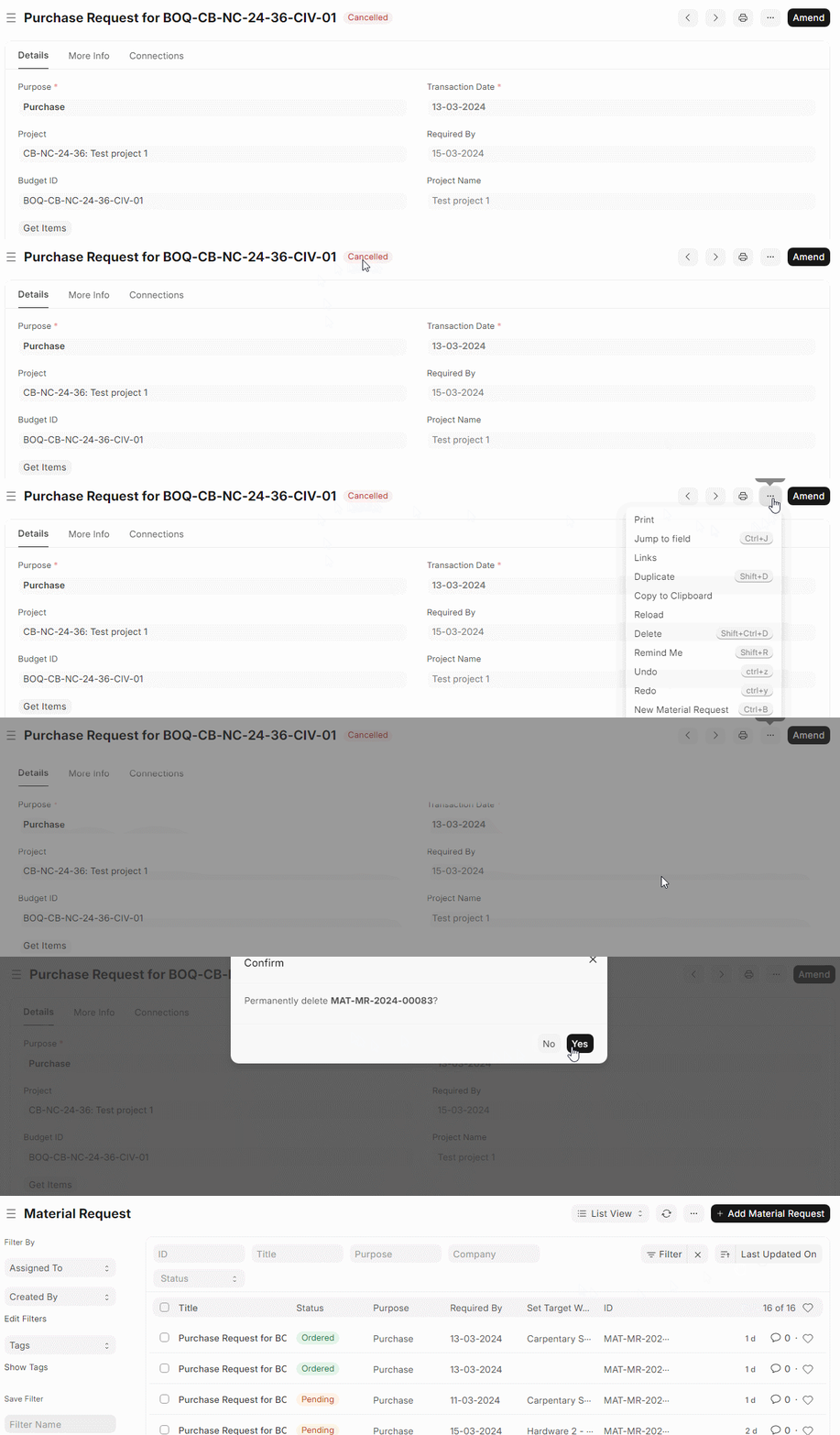
2.2 Delete Material Request
Material Request can only be delete when it is not linked to any other process and stays cancelled.
3. Features
3.1 Setting Warehouses
Set Warehouse: Optionally, you can set the Warehouse where the requested Items will arrive. This will be fetched into the 'For Warehouse' fields in the Item table rows.
3.2 After Submitting
You can create the following documents: