How to approve publication pipeline
Introduction
Publishing research papers is a fundamental part of academic progress. It not only contributes to the growth of
knowledge but also enhances your reputation, credibility in your field and erudite among the academic community.
It's essential to stay updated with current trends in academic publishing and to follow ethical standards
throughout the process.
We have come up with an intra-Amrita web-based portal that helps you to showcase your publications,
the significance of research within the academic community, track the impact of work and visibility of the work. Here each
paper publication is streamlined through a pipeline to track them more precisely. This helps the research
committee to keep track of each ongoing research work under their institution.
Here in this document, we will look at how department level approvers and second level approvers can approve the publication pipeline seeking approval.
Getting Started
Approver can access the publication paper through either one of the ways
- Through the link from notification email received
- By logging in to myresearch portal
Through the link from notification email received
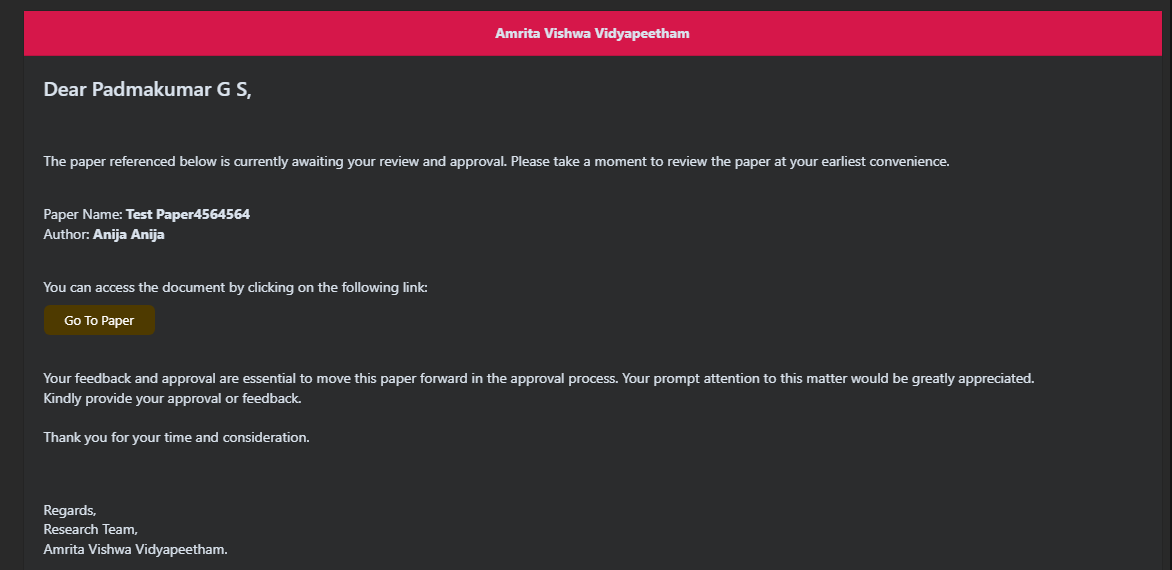
Approver might have received an email nofication regarding the approval pending
- Open the email received at your Amrita email inbox
-
Click the link "Go to Paper"
-
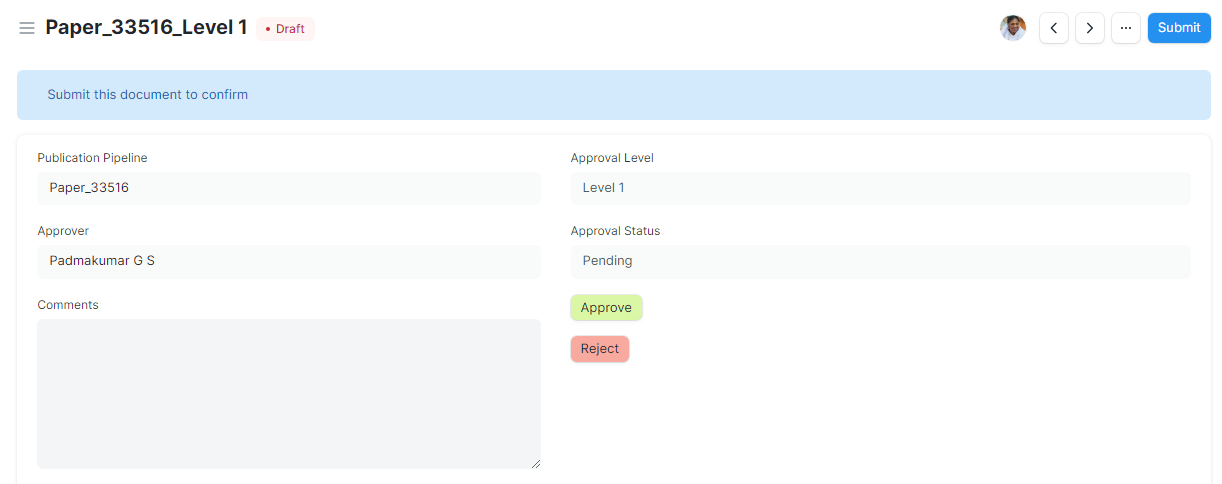
The publication paper details page will be opened.
-
Approver can view the details of paper by scrolling down
-
Mark the comments in the comment box provided.
-
Click Approve or Reject based on the evaluation
By accessing through MyResearch Portal
-
Open an internet browser (Recommended to use Google Chrome)
-
Type https://myresearch.amrita.edu/ and click enter
-
Log in with your Amrita email id and password.
-
You will be at home page of myresearch portal.
-
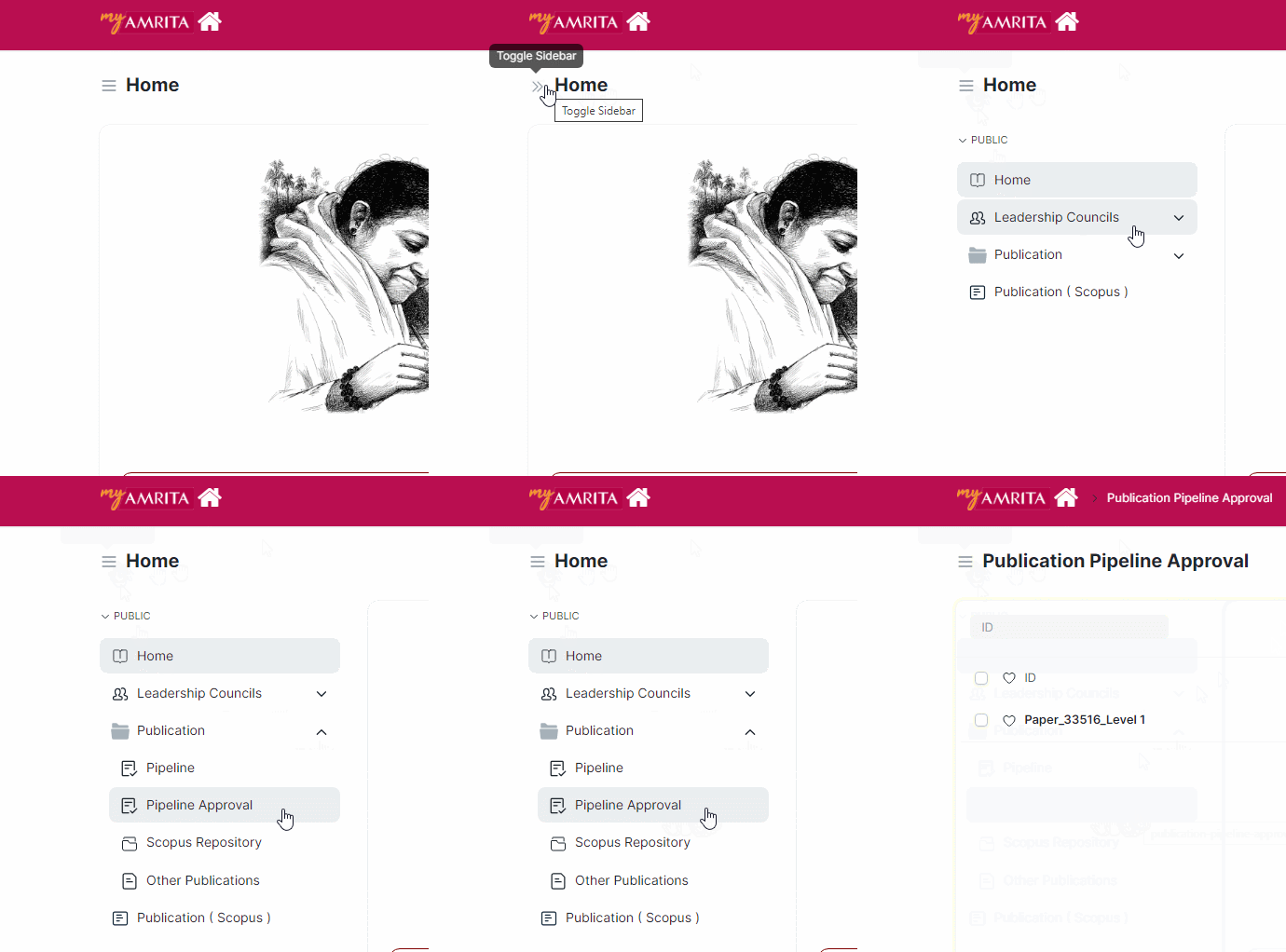
Click the "Home" hamburger icon to show the side menu
-
Expand the "Publication"
-
Click "Pipeline Approval"
-
Click on the paper from the list to open
-
Approver can view the details of paper by scrolling down
-
Mark the comments in the comment box provided.
-
Click Approve or Reject based on the evaluation